Scan4Remote - Scan for Remote Access Tools and RMM
Scan4Remote.exe
· 10.3 MB · Uploaded May 7, 2026 · 143 downloads
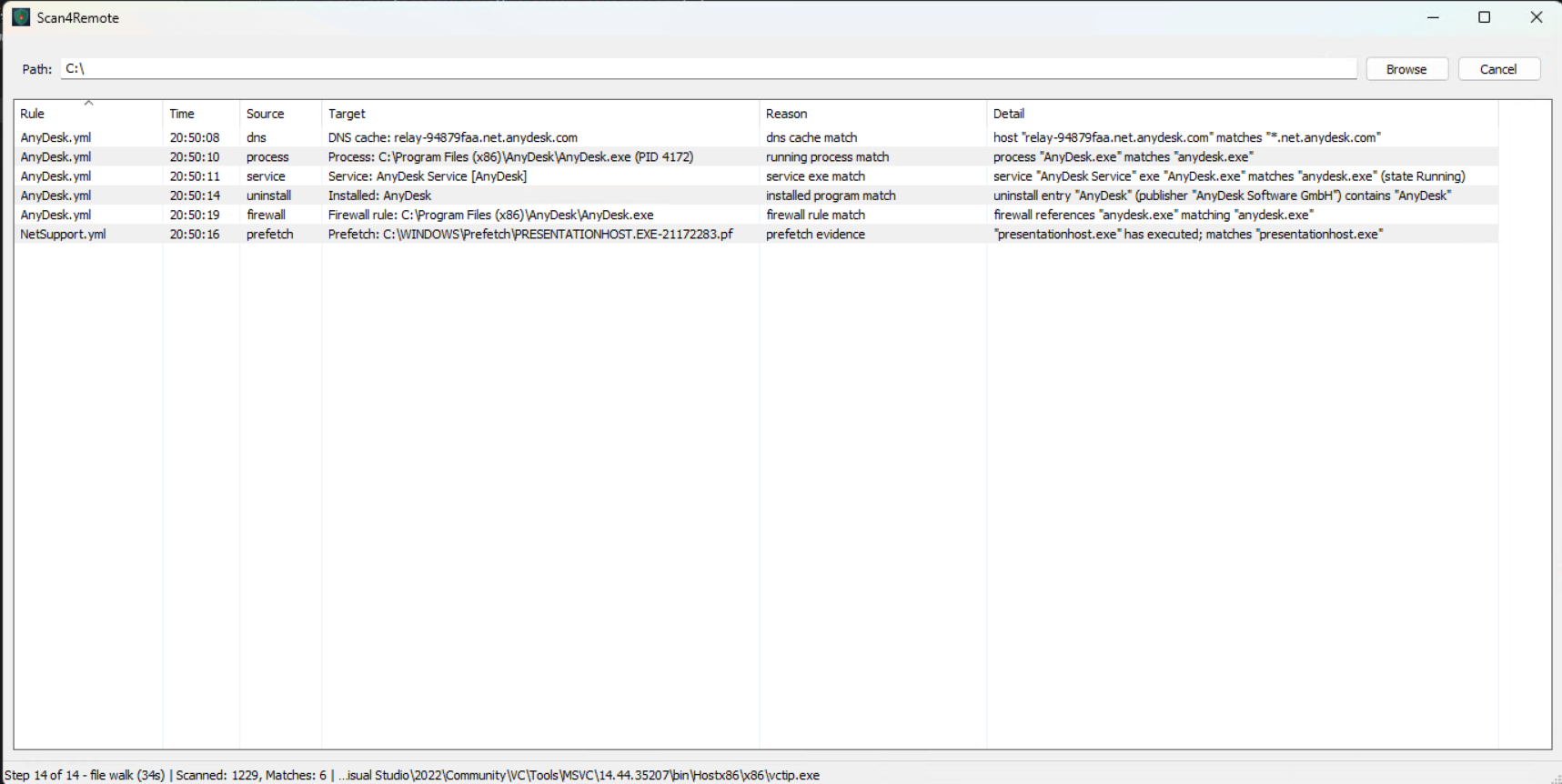
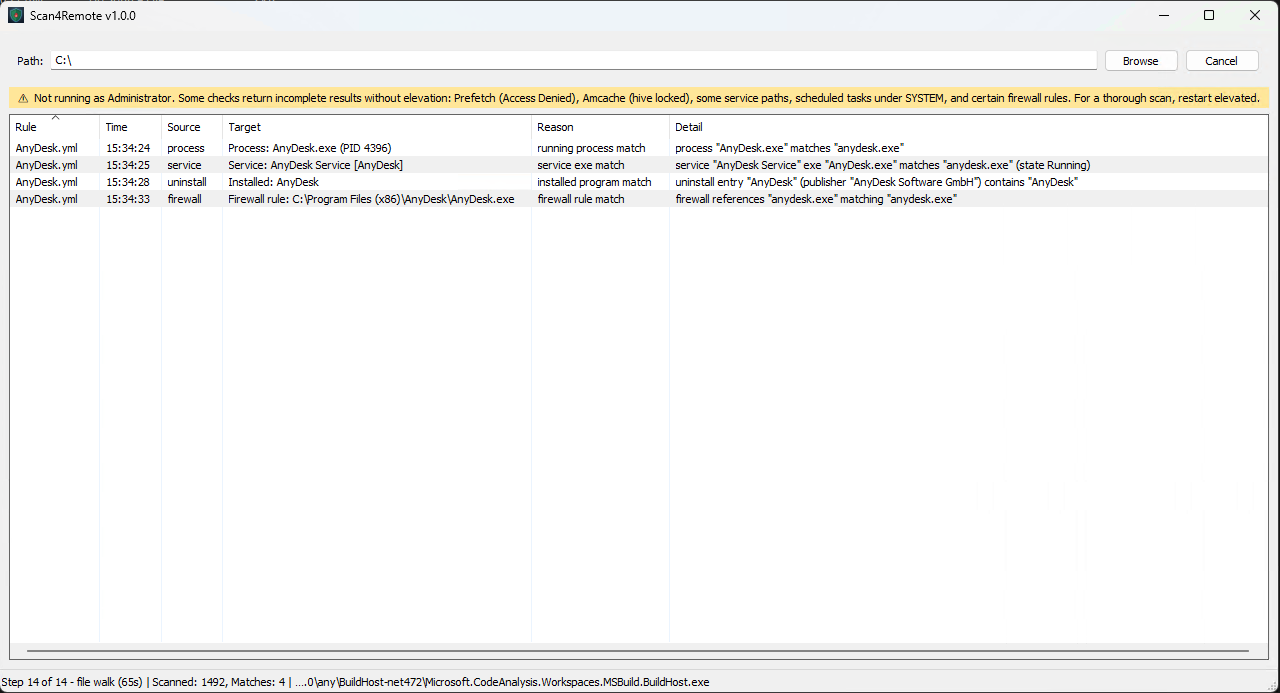
This is a simple little application which scans for remote access utilities on a computer. It scans All .exe files in the folder you specify, it searches based on filename, path name, and the publisher of the file. It also checks some registry locations, It is
It downloads the list of YML files from this repo and uses them as a basis for searching.
https://github.com/LivingInSyn/RMML/tree/main/RMMs
I asked Claude AI to give me a summary of features and use, here it is:
Scan4Remote is a Windows GUI tool for finding remote-access and remote-management software on a system, intended for technicians who need to verify that a machine isn't being controlled — sanctioned or otherwise — by a third party. It's built around the open-source LivingInSyn/RMML definition catalog, which describes 27 commercial and open-source remote tools (TeamViewer, AnyDesk, ScreenConnect, NinjaRMM, ngrok, Tailscale, and so on) by their executable names, code-signing certificates, and known network endpoints. On launch the app fetches the current YAML definitions from GitHub if the machine is online, falling back to whatever's on disk if not, so detections stay current without bundling a stale rule set.
The detection itself runs in fourteen layers per scan. A file-tree walk inspects every .exe under the chosen path, matching each one by basename, by Authenticode signer subject (so a renamed copy of TeamViewer.exe still trips on its "TeamViewer GmbH" cert), and by PE version-resource fields like OriginalFilename and CompanyName. Thirteen system-level checks then look at running processes, Windows services, scheduled tasks, the installed-programs registry, autorun keys, listening and established TCP connections, the prefetch directory, the Amcache hive, firewall rules with attached programs, network adapters, signed drivers, WMI persistence subscriptions, and the recent DNS resolver cache. Together these turn up tools that are installed but not running, running but not on disk, uninstalled but recently executed, or only visible by their network footprint.
The UI is straightforward — a path entry with Browse, a Scan/Cancel button, and a sortable results grid showing rule, detection time, source category, target, reason, and detail for each hit. Right-clicking the grid offers "copy selected" (formatted blocks for tickets) and "copy all" (tab-separated for spreadsheets). A status bar updates four times a second showing which of the fourteen steps is running, elapsed seconds in that step, and live counts during file walk; checkers that hang are automatically timed out at 60 seconds so a flaky WMI query can't lock the scan. A yellow banner appears at the top when not running elevated, listing the checks that will return incomplete results without admin (Prefetch, Amcache, scheduled tasks under SYSTEM, etc.).
A configurable exception system suppresses known false positives. Out of the box it skips OneDrive cloud-only files and folders so opening them doesn't trigger downloads. The result is a tool you can point at C:\ on a tech-handoff machine and trust to surface real remote-access exposure without burying the operator in known-good Windows files.
Scan4Remote.exe
10.3 MB (10,800,192 bytes)
May 7, 2026 (2026-05-07 14:36:47)
7d090e578b078206afceed7d2f7cbcef529225cd333102a1a30e568ed285ac44